
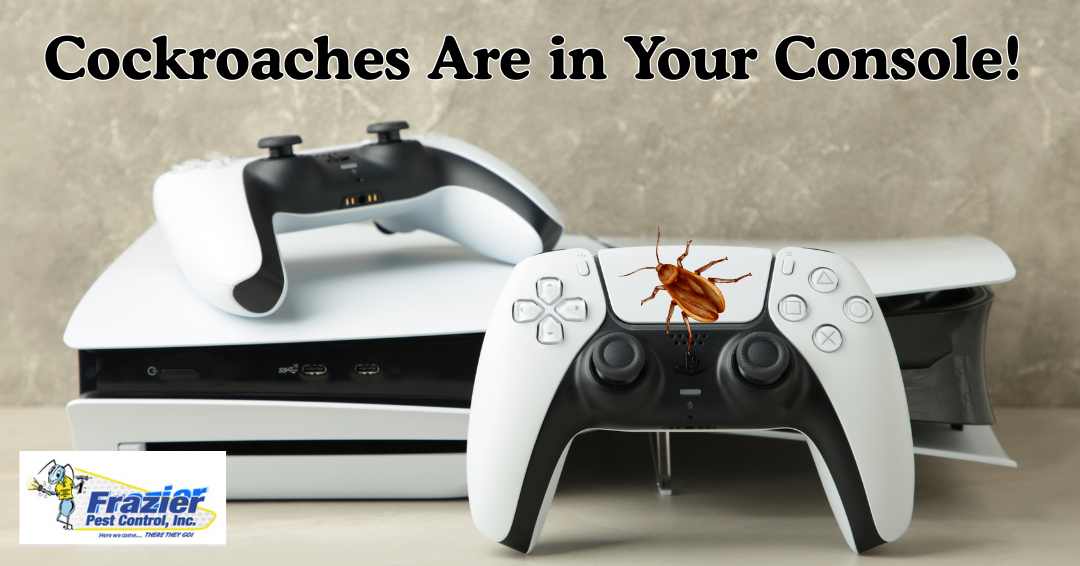
Cockroaches can hide inside PS5, Xbox, cable boxes, routers, and other electronics because these devices provide warmth, darkness, tight spaces, and nearby food crumbs when gaming areas are not cleaned regularly. If you see roaches near your console, do not spray insecticide into the device or keep using it normally. Unplug the console, move food and drinks away from the gaming area, inspect the room for droppings or odor, and schedule pest control if roaches are active elsewhere in the home.
In Coachella Valley homes, warm desert conditions can make cockroach activity a year-round problem, especially around kitchens, garages, entertainment rooms, bathrooms, and cluttered storage spaces. Frazier Pest Control provides pest control services in Coachella Valley for homes and businesses dealing with roaches and other common desert pests.
If you thought cockroaches were just a kitchen problem, think again. Across the internet, videos are going viral showing roaches in PS5 and Xbox consoles, crawling out of vents and nesting inside. As strange as it sounds, this is not an urban legend—cockroaches really do infest gaming systems. And if you live here in the Coachella Valley, where roaches thrive in the desert climate, it’s not as far-fetched as you might hope.
Read more: Mice in Coachella Valley Homes: Signs, Risks, and Removal
Why Roaches in PS5 and Xbox Consoles Are Becoming More Common
Gaming systems like the Playstations and Xbox are basically roach hotels:
- Warmth: Consoles generate heat, making them the perfect cozy spot.
- Darkness: Roaches love dark, hidden places.
- Food Sources Nearby: Many gamers snack while playing, leaving crumbs or spills around their systems.
- Entry Points: Vents and gaps make it easy for roaches to crawl inside.
To a cockroach, your high-tech console is just another safe nesting spot.
According to the National Pesticide Information Center, cockroaches prefer dark, crowded spaces and may hide under cabinets, sinks, appliances, wall voids, and pipes.
Read more: Why Subterranean Termites Often Go Undetected in Coachella Valley Homes
The Risks of Roaches in Electronics
 A roach infestation in your PS5 or Xbox isn’t just gross—it can be expensive. Roaches leave behind droppings, shed skins, and a foul odor. Their waste is corrosive and can damage sensitive circuit boards, potentially leading to system failure. Some repair shops even charge extra when roaches are found inside because it poses a health risk to technicians.
Here in the Coachella Valley, roaches are active year-round thanks to the desert climate. That means if you see them in one part of your home, there’s a real chance they could end up in your electronics too.
Read more: Argentine Ants in the Coachella Valley: The Unstoppable Invasion
Why Roaches Near Electronics Usually Mean a Bigger Infestation
A roach inside a console is rarely an isolated problem. Cockroaches move through tight spaces looking for food, water, warmth, and shelter. If they are active around a PS5 or Xbox, they may also be hiding behind appliances, under sinks, inside cabinets, behind entertainment centers, in wall gaps, near trash, or around recycling areas.
Warning signs of a larger infestation include:
– Roaches seen during the day
– Roach droppings near the console, TV stand, kitchen, or bathroom
– A musty or oily smell
– Egg cases near baseboards or cabinets
– Roaches appearing after lights are turned off
– Activity near food, pet bowls, drains, or moisture
– Roaches returning after cleaning or DIY spray
If the problem is spreading beyond one device, the goal should be home-level cockroach control, not just cleaning the console.
Read more: Why Seeing One Cockroach Is Almost Never Just One
How to Know If Roaches Are in Your Console
- Unusual Odor: Roaches have a distinct, musty smell.
- Strange Noises: Clicking or faint movement sounds may mean insects are inside.
- Droppings: Tiny black specks around or under your console could be roach feces.
- Sightings: If you see roaches in your gaming area, assume they’re exploring everywhere.
According to the U.S. EPA, cockroach feces, shed skins, and saliva can trigger asthma and allergies, especially in children, and cockroaches can carry bacteria that may contaminate food.
Read more: Pest Control in Coachella Valley: Why Professional Services Matter for Your Property’s Safety
What Not to Do If You Think Roaches Are in Your Console
If you think cockroaches are inside your PS5, Xbox, router, or other electronics, avoid quick fixes that can make the problem worse.
Do not:
– Spray insecticide directly into the console.
– Keep running the device if you see roaches crawling out of it.
– Shake the console aggressively.
– Open the console if you are not comfortable with electronics repair.
– Blow roaches deeper into the device with high-pressure air.
– Store the console on the floor near crumbs, pet food, or clutter.
– Treat the console only while ignoring the rest of the room.
The console may be the hiding place, but it is rarely the full infestation. Roaches usually move between food sources, moisture, wall gaps, appliances, furniture, and electronics.
What to Do If You Find Roaches in Your PS5 or Xbox
If roaches are already inside or around your gaming console, treat it as both an electronics issue and a pest-control issue.
Follow these steps:
Unplug the console. Turn off the device and disconnect it from power before inspecting or moving it.
Move food and drinks away from the gaming area. Crumbs, sticky spills, soda cans, pet food, and snack wrappers can keep roaches active near the console.
Inspect the surrounding area. Check behind the TV stand, under furniture, near power strips, around cable clutter, and along baseboards.
Look for infestation signs. Watch for droppings, egg cases, shed skins, musty odor, or roaches moving when the lights turn on.
Do not spray inside the console. Sprays can damage electronics and may not solve the hidden infestation.
Contact a console repair professional if the device is contaminated. A pest control company can treat the home infestation, but internal console cleaning may require an electronics repair specialist.
Schedule pest control if roaches are active in the room. If roaches are near electronics, they may also be hiding in kitchens, bathrooms, garages, wall gaps, or appliances.
According to PlayStation support, PS5 owners should disconnect the AC power cable before cleaning and keep the console’s air vents clear and unobstructed.
Why Roaches in a Gaming Room Are Also a Health Concern
Roaches are not just a nuisance inside electronics. They can leave behind droppings, shed skins, saliva, and contaminated debris around furniture, floors, food areas, and electronics. In a gaming room, that can mean allergens and bacteria near controllers, headsets, desks, snacks, carpets, and seating areas.
This is especially important if children, allergy-sensitive family members, or people with asthma use the room regularly. Cleaning the console area helps, but it does not solve the source if roaches are nesting elsewhere in the home.
Read more: Diseases Cockroaches Carry and How to Stay Safe
Gaming Setup Checklist: How to Keep Roaches Away from Electronics
Use this checklist to make your gaming area less attractive to cockroaches:
– Keep food and drinks away from consoles, controllers, and desks.
– Vacuum crumbs under the desk, TV stand, couch, and gaming chair.
– Wipe sticky drink residue from tables and floors.
– Store snacks in sealed containers, not open bags.
– Empty trash cans regularly.
– Keep the console elevated off the floor.
– Avoid placing the console directly on carpet or inside tight cabinets.
– Keep vents clear and give the console space to breathe.
– Reduce cable clutter where roaches can hide.
– Inspect cardboard boxes, delivery packaging, and storage bins.
– Fix nearby leaks or moisture problems.
– Seal gaps around baseboards, outlets, pipes, and walls.
– Schedule pest control if roach activity continues.
According to Xbox support, consoles should be placed in a well-ventilated, uncluttered space and should not be kept in enclosed cabinets or blocked by objects.
Read more: 5 Cleaning Mistakes That Attract Cockroaches—Even in Spotless Homes
Why This Matters for Coachella Valley Homes
Cockroach activity can be a year-round concern in Coachella Valley because warm conditions, irrigation, shaded patios, garages, kitchens, bathrooms, and entertainment rooms can all support roach activity. Gaming areas can become attractive when they combine heat from electronics, crumbs from snacks, cable clutter, and nearby hiding places.
Local homeowners should be especially careful when gaming setups are located:
– Near kitchens or dining areas
– In bedrooms with food wrappers or drinks
– In garages or converted rooms
– Near pet food or water bowls
– On carpeted floors
– Inside enclosed entertainment cabinets
– Around storage boxes or clutter
If roaches are showing up around electronics, the property may need a broader inspection for food sources, moisture, entry points, and hiding areas.
Console Cleaning vs Pest Control: What Each One Solves
Console cleaning and pest control solve different parts of the problem.
A console repair or electronics cleaning specialist may help remove contamination from inside the device. Pest control addresses the source of the roach activity in the home.
If you only clean the console but do not treat the room or home, roaches may return. If you only treat the room but the console is already contaminated, the device may still need professional electronics cleaning.
The best approach is usually:
– Unplug the console.
– Avoid spraying chemicals into the device.
– Clean and inspect the gaming area.
– Contact a repair professional if the console is contaminated.
– Schedule pest control to address the home infestation.
Protect Your Games and Your Home
 Roaches don’t stop at your console—they’ll move throughout your house if given the chance. If you’ve noticed signs of roaches, Frazier Pest Control can help. We specialize in treating infestations in homes across the Coachella Valley, Inland Empire, and Morongo Basin. Our expert technicians know how to eliminate roaches at the source and help prevent them from coming back.
Don’t wait until your PS5 or Xbox becomes a roach motel. Protect your home, your electronics, and your health with professional pest control. (760) 328-6115
Read more: Why Squishing Ants Can Make Your Infestation Worse
FAQ: Cockroaches in Consoles
Why do cockroaches go into electronics?
Roaches are drawn to the heat, darkness, and tight spaces inside electronics like PlayStations, Xboxes, and even cable boxes. These conditions mimic their natural hiding spots and provide safety while they nest and breed.
Can roaches damage my PlayStation or Xbox?
Yes. Roach droppings and shed skins can corrode sensitive electronics, leading to malfunctions or total breakdown. Repairs are often costly, and in some cases, consoles become unfixable once contaminated.
How can I tell if roaches are in my console?
Signs include a strong musty odor, small droppings under the console, strange noises inside, or even roaches crawling out when it warms up. If you already see roaches in your home, there’s a high chance they may have explored your electronics.
What should I do if roaches are already in my PS5 or Xbox?
Unplug the console and avoid using it until it can be cleaned. Do not spray insecticides into the device—it can cause further damage. Instead, call a pest control professional to eliminate the infestation in your home and prevent re-infestation.
Do I really need pest control if I only see them near my gaming system?
Yes. Roaches rarely limit themselves to one area. If they’re near your console, they’re likely elsewhere in your home. Professional pest control ensures the infestation is fully removed, not just temporarily reduced.
Recent Comments